

HEDD CTRL is a dedicated software that unifies the MK2 and BASS series of monitors and subwoofers into a transparent, reliable, and fully controllable monitoring ecosystem.
With network audio setup being a broad and complex subject matter, this page provides a knowledge base for CTRL users so that you can have easy access to the most relevant information about the software and troubleshoot common issues.
Modern studio setups are increasingly dependent on stable and well‑configured networks. This guide is designed to help you eliminate most well‑known issues from the start and give you confidence when setting up or expanding your system.
HEDD CTRL enables access to all advanced DSP features, routing options and system management functions via a standard ethernet connection.
Use this page when you need to troubleshoot and quickly resolve common issues with CTRL. If your issue is not addressed on this page please contact support@hedd.audio.
CTRL Knowledge Base
System Requirements
- MacOS & Windows supported.
- A standard network connection (ethernet) is required.
- Direct connection through: Router; Switch (managed or unmanaged); USB‑to‑Ethernet adapter.
- Hubs/docks with restricted network access may not work reliably (e.g., Microsoft Docking Stations, OWC Thunderbolt Docks).
Compatible & Recommended Switches
- NETGEAR GS308E (proven highly stable).
- TP-Link UE300 USB‑to‑Ethernet Adapter (fully compatible, proven highly stable).
Managed or unmanaged?
- Both options work, as long as IGMP Snooping and VLAN‑Management are not configured with restrictions.
- For simple setups we recommend unmanaged switches.
Network Setup
- Speaker(s) and computer must be on the same network.
- DHCP is recommended for automatic addressing.
- Static IP can be used in advanced studio installations.
- WiFi should not cause issues and has proven to be stable, but for the most reliable performance we still recommend ethernet connections whenever possible.
Can I have multiple devices on the same switch?
Yes, other audio hardware that uses network remotes (such as RME AVB/MILAN converters, Eventide H9000 and more) can also run on the same switch.
Important:
- Network traffic must remain cleanly separated.
- Avoid overloading the switch, especially with cheaper models.
Firmware Requirements
To use all functions in CTRL, a firmware update of each connected MK2 or BASS unit may be required.
If you see an exclamation mark (!) next to a device that means a firmware update available and can be downloaded via the update option in the CTRL top menu.
To update the firmware via CTRL do the following:
- Go to Update -> Devices.
- Select each speaker showing an available update.
- Press "Update Firmware From Network".
- If prompted enter the Serial Number, only required once.
After a successful update:
- Reboot speaker.
- CTRL will reconnect automatically.
Speaker States
LED colours:
- Green → On (Active)
- White → Standby
CTRL may not find devices that are in deep sleep mode.
Supported Features
- Device discovery
- Group creation & management
- PEQ
- Phase Linearizer control
- Input configuration
- Preset export & import
- Closed & Ported operation for MK2 and BASS models
Important: Once a preset is uploaded to the speaker, it remains stored in the DSP. The network connection is no longer required afterwards.
Closed or Ported Switching & Latency
- Switching between Closed and Ported mode does not add latency when the Lineariser is off.
- With the Lineariser active, different FIR filters are used for Closed vs. Ported modes.
- Latency may change slightly: typically 1–3 ms.
DSP vs Hardware Switching
- All tuning parameters on Mk2 models—including CoP—are implemented entirely in DSP.
- The analog signal path remains unchanged.
- No relays or analog components are switched.
- CTRL exposes additional parameters not available on the physical back panel.
Behaviour When Disconnecting CTRL
Settings from CTRL are stored permanently only when using: Upload to Device or Upload to All Devices.
If you do not select either of these options, changes are not stored and will be lost after standby or power cycling.
Stored settings are recalled when the Lineariser knob is set to the "*" position. Any other knob position returns the speaker to hardware‑controlled behaviour.
Hardware vs Software Control (Rear Panel Controls)
The rear controls are automatically deactivated in two cases:
- When the speaker is connected via RJ45 and actively controlled by CTRL.
- When the Lineariser knob is set to “*”, recalling the last uploaded CTRL configuration.
There is no global “off” state for the hardware controls, but these two states give full control to the software.
Importing EQ Profiles (REW)
- PEQ currently cannot import REW correction profiles.
- This feature is being evaluated, but is currently not available.
Device vs Group Priorities
- When adjusting a parameter at the group level, the value is written to all devices in the group.
- You can still edit devices individually afterwards.
- If you later change that parameter again at the group level, the group value will overwrite all individual values.
Troubleshooting Common Issues
CTRL Does Not Find My Speakers
Try the following checklist:
- Are the speakers powered and active? (Green LED).
- Are the RJ45 port LEDs active on: Speaker; Switch; Computer?
- Make sure speakers are connected via ethernet instead of WiFi.
- If using a dock: Does it allow direct network access? Microsoft Docking Stations and OWC Thunderbolt Dock are known to create an issue that stops CTRL locating your speakers.
- Try a USB‑to‑Ethernet adapter (recommended Apple or Anker).
- Make sure the computer and speakers are in the same subnet.
CTRL Quits After Firmware Update
- Relaunch CTRL after system restart.
- Disconnect and reconnect Ethernet.
- Reinstall CTRL (using the latest version).
- Try updating speakers individually, not all at once.
Firmware Update Fails
- Check cable and switch stability.
- Update only one device at a time.
- Avoid long Ethernet runs during update (>20m unmanaged).
- After a failed update try to power cycle speakers.
Speaker Discovered But Cannot Be Controlled
- Update firmware (very likely!).
- Check that no firewall is blocking local network connections.
- On Mac: grant network access under System Settings → Privacy & Security → Network.
Speaker Remains in Stand-By
- Ensure firmware is up to date.
- Check if standby LED is white – in deep sleep the network chip may not wake up.
- Power cycle the unit.
No Sound After Preset Upload
- Check input settings in CTRL.
- Verify correct group assignment.
- Make sure Linearizer / PEQ settings are within expected ranges.
- Double‑check cable routing.
Network Conflicts or Instability
- Reduce the number of additional devices on the same switch.
- Prefer simple unmanaged switches.
- Disable overly strict IGMP Snooping on managed switches.

Shop MK2
-


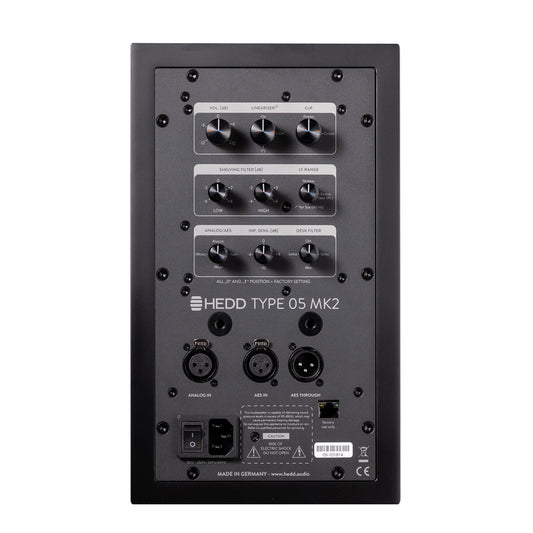

TYPE 05 MK2
Huge sound, small footprint.Regular price From €899 -




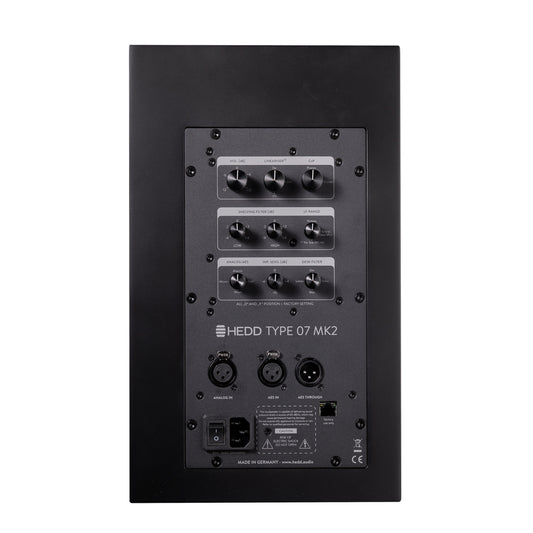
TYPE 07 MK2
Clear and honest 2-way monitoring.Regular price From €1,199 -


TYPE 20 MK2
Versatile 3-way monitoring with no compromise.Regular price From €2,399 -


TYPE 30 MK2
Powerful and stylish 3-way monitoring.Regular price From €3,399 -


BASS 08
Ultra compact DSP subwoofer.Regular price €1,599 -


BASS 12
Earth-shaking bass performance. Fully controlled.Regular price €3,299


Reasons to buy direct from hedd.audio
-

Every product is built by hand in Berlin
-

5 year warranty with all products
-

Free shipping with all orders
-

30 day returns satisfaction guarantee


